A Phishing Email Away
Your payroll coordinator receives an urgent email: "ATTENTION: Update your direct deposit information immediately to avoid payment delays." The email looks legitimate- it uses your company logo, references recent internal communications, and links to what appears to be your payroll system login page. She clicks the link, enters her credentials, and within hours, attackers have accessed your entire pay/bill engine.
This isn't a hypothetical scenario. Phishing attacks targeting staffing firms have increased 47% since 2022, with payroll coordinators, finance teams, and operations staff being the primary targets. Why? Because staffing firms process massive volumes of sensitive data - contractor Social Security numbers, bank account details, pay rates, and weekly ACH transfers - making them exceptionally lucrative targets for cybercriminals.
Here's how to protect your firm using Microsoft's built-in security capabilities that come standard with 1Staff's Microsoft-native platform.
Why Staffing Firms Are High-Value Phishing Targets
Staffing operations create unique vulnerabilities that attackers exploit:

High Transaction Volume = Lower Scrutiny
Processing hundreds of weekly payroll transactions makes it easy for fraudulent requests to hide among legitimate ones. A fake "update your bank account" email doesn't stand out when you're already managing dozens of real banking changes.

Time Pressure Creates Urgency Bias
"Payroll closes Friday at 3pm" is a powerful weapon in attackers' hands. Phishing emails with urgent deadlines bypass critical thinking: "I don't have time to verify this—I just need to get it done."

External Communication Is Normal
Staffing firms constantly communicate with candidates, clients, vendors, and contractors—most of whom the team has never met in person. An email from "Jane Smith - New Contractor" requesting W-4 updates doesn't trigger suspicion because you get dozens of similar legitimate requests daily.

Valuable Data Concentration
A single compromised payroll coordinator account can expose:
- Hundreds of contractor Social Security numbers
- Bank account details for ACH transfers
- Pay rates and client billing information
- Background check reports
- Access to modify future payroll runs
The Most Common Phishing Attacks Targeting Staffing Firms

Attack Type 1:
Fake Payroll Update Requests
Attack Type 2:
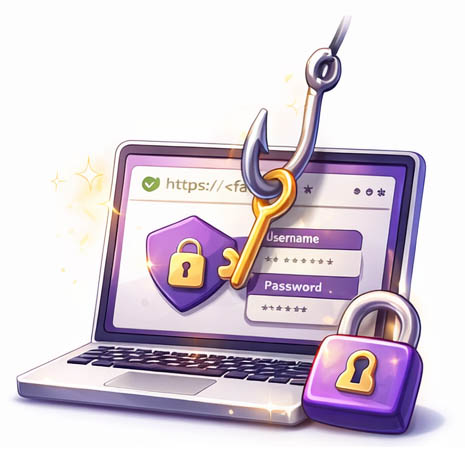
Credential Harvesting via Fake Portals
Attack Type 3:
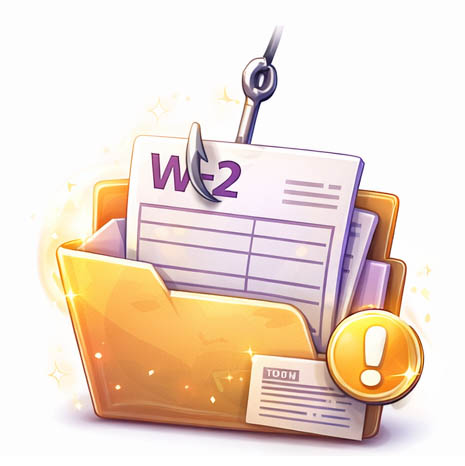
W-2 / Tax Form Phishing
Attack Type 1: Fake Payroll Update Requests
The scam: Attacker impersonates a contractor or employee, sending an email to payroll: "Hi, I changed banks. Please update my direct deposit to [attacker's account]." The email may even include a fake voided check or bank verification letter.
Red flags to train staff on:
- Email domain doesn't match internal records
- Urgent language ("Process this today to avoid payment issues")
- Bank routing to unusual regions (contractor in Texas, new bank in Nevada)
- Requests sent outside normal business hours
Attack Type 2: Credential Harvesting via Fake Portals
The scam: Attackers create fake login pages that mimic your time capture app, payroll system, or 1Staff platform. Phishing emails direct users to these pages: "Your session expired. Click here to re-authenticate." When users enter credentials, attackers capture them and immediately use them to access the real system.
Red flags:
- URL is slightly misspelled (1staff-login.com instead of 1staff.com)
- Login page lacks HTTPS certificate padlock
- Visual inconsistencies (wrong logo, outdated branding)
Attack Type 3: W-2 / Tax Form Phishing
The scam: Attackers impersonate executives or HR leaders during tax season: "I need W-2 information for all contractors immediately for an audit." Pressured payroll staff export files containing SSNs, addresses, and earnings data.
Red flags:
- Request comes via email rather than internal secure channels
- Unusual urgency for routine tax documents
- Request sent to junior staff rather than following proper authorization chain
How Microsoft 365 Defender Protects 1Staff Users Automatically
Because 1Staff is built entirely on the Microsoft platform, staffing firms benefit from enterprise-grade anti-phishing capabilities that work in the background:
- Advanced Threat Protection for Email (Microsoft Defender)
Microsoft Defender for Office 365 automatically:
- Scans all inbound emails for known phishing signatures
- Detects suspicious URLs and rewrites them with safe link wrappers
- Quarantines emails from newly registered domains (common in phishing campaigns)
- Analyzes email headers for spoofed sender addresses
- Flags emails with unusual urgency language or payment requests
- Attack Simulation Training (Included in Microsoft 365 E5)
This is the game-changer. Microsoft's Attack Simulation Training allows you to send
fake phishing emails to your own staff to test their awareness—before real attackers do.
How it works:
- You select phishing scenarios relevant to staffing (payroll updates, credential harvesting, invoice scams)
- Microsoft sends realistic phishing emails to designated staff groups
- If someone clicks a malicious link, they see a training page explaining the red flags they missed
- You receive detailed reports: Who clicked? Who reported? Who ignored?
- Automated follow-up training is assigned to users who failed simulations
Staffing-specific simulation examples:
- "Contractor Bank Update Request" - Tests payroll team's verification protocols
- "Urgent W-2 Request from Executive" - Tests HR's process for sensitive data requests
- "Expired Password Reset" - Tests credential protection awareness
- Real-Time Threat Intelligence Sharing
When one Microsoft 365 customer reports a phishing email, Microsoft's threat intelligence network updates defenses for all customers globally within minutes. Your staffing firm benefits from the collective security posture of millions of Microsoft 365 organizations.
Five Best Practices for Phishing-Resistant Staffing Operations
Implement Multi-Factor Authentication (MFA) Everywhere
Even if attackers steal credentials via phishing, MFA blocks account access. Prioritize MFA for:
- All users accessing 1Staff Front Office and Back Office
- Banking portals and ACH file uploads
- Background check vendor portals
- Any system containing SSNs or financial data
- Establish Verified Communication Channels for Sensitive Requests
Create a policy:
All bank account changes, tax form requests, and payroll modifications require verbal confirmation via a known phone number on file. Never trust email alone for these requests.
- Run Quarterly Phishing Simulations
Use Microsoft Attack Simulation Training to test:
- New hires within 30 days of onboarding
- Payroll and finance teams quarterly
- All staff at least annually
Track improvement over time. A 15% click rate in Q1 dropping to 3% by Q4 demonstrates measurable risk reduction.
- Enable Microsoft Report Message Button in Outlook
Train staff to use Outlook's "Report Message" button to flag suspicious emails. This feeds Microsoft's threat intelligence and allows your IT team to investigate potential campaigns targeting your firm.
- Create an Incident Response Plan for Successful Phishing Attacks
Despite best efforts, some attacks succeed. Have a plan:
- Immediately disable compromised accounts
- Reset passwords for affected users and related accounts
- Review audit logs for unauthorized access
- Contact Professional Advantage support if 1Staff systems were accessed
- Notify affected candidates/contractors if their data was exposed
Get Your Staffing Firm's Phishing Risk Assessment
Professional Advantage offers phishing risk assessments for staffing firms running 1Staff. Our assessment includes:
- Review of current Microsoft Defender configuration
- MFA enforcement verification across all critical systems
- Attack simulation training deployment strategy
- Incident response plan development tailored to staffing operations
- Staff training resources and best practice documentation
Important: Licensing Considerations for Attack Simulation Training
Attack Simulation Training is included in:
- Microsoft Defender for Office 365 Plan 2
- Microsoft 365 E5
- Microsoft 365 E5 Security add-on
Alternatively you may run Microsoft 365 Business Premium, which includes strong email protection and MFA — but does not include built-in phishing simulation. If you're on Business Premium, Professional Advantage can:
- Assess whether Defender Plan 2 is appropriate for your risk profile
- Design cost-effective phishing simulation alternatives
- Help you step up protection for payroll and finance users specifically
For payroll-heavy staffing firms, the incremental upgrade cost is often minimal compared to the financial exposure of a single compromised payroll account.
Bridge to the Cloud 3
Key Dates for 2026–2027
Microsoft has announced Bridge to the Cloud 3 (BTC3), a time-limited licensing promotion for organizations still running Microsoft Dynamics GP and planning a transition to the Microsoft cloud.
Read more...
More from the blog...
Killing the Frankenstack!
Why Your Back Office Architecture Is Holding You Back!
Killing the Frankenstack!