Artificial intelligence is transforming staffing operations—from AI-powered candidate matching to automated resume screening to predictive analytics. But with great power comes great responsibility. Staffing firms are custodians of some of our most sensitive data: Social Security numbers, salary history, background check results, medical information (for healthcare staffing), and detailed employment records.
As AI becomes embedded in your recruiting workflows, the question isn't
whether to use AI—it's how to use AI responsibly while protecting your candidates, clients, and businesses from data breaches, compliance violations, and reputational damage.
Here are five critical AI governance tactics every staffing firm should implement—and how 1Staff's Microsoft-native architecture gives you a decisive advantage over competitors using third-party AI tools.

Tactic 1: Establish Unified Access Controls Across Your AI Stack
The Problem:
Most staffing platforms cobble together AI features from multiple vendors: one tool for resume parsing, another for candidate engagement, a third for interview scheduling. Each has separate login credentials, permission structures, and security policies. This fragmentation creates blind spots: Who accessed what data? Which AI tool saw which candidate SSN? Can you prove compliance during an audit?
The Microsoft-Native Solution:
1Staff leverages Microsoft Entra ID (formerly Azure Active Directory) as the single authentication source for all users. Whether your recruiters are accessing Microsoft 365 Copilot, Power BI analytics, or candidate records in 1Staff, there is one authentication source while access controls can be applied per application.
What this means in practice:
- When a recruiter leaves, disabling their Entra ID account can instantly revokes access to all AI tools
- Role-based permissions can be applied that automatically limit AI queries to appropriate data
- Conditional Access policies can require multi-factor authentication for AI tools processing sensitive data
- Audit logs capture can be set so that every AI interaction has a timestamp and user ID
The competitive contrast: Most Non-Microsoft platforms using third-party AI tools require separate credential management for each vendor. This creates security gaps, administrative overhead, and compliance risk.
Tactic 2: Prevent AI from Processing Sensitive Data with Data Loss Prevention
The Problem:
Not all data should be accessible to AI. Imagine your Copilot inadvertently includes a candidate's SSN in an email draft, or exposes confidential client rate cards in a generated summary. Even with good intentions, AI can surface sensitive information in ways that violate privacy policies or regulatory requirements.
The Microsoft-Native Solution:
1Staff Copilot respects the signed-in user’s permissions—so it can only access data that user is authorized to see.
Go further and Microsoft Purview Data Loss Prevention (DLP) for Microsoft 365 Copilot blocks AI from processing files with specific sensitivity labels or containing certain data types (SSNs, credit card numbers, protected health information). For staffing firms, this means:
- Label background check documents as "Confidential - No AI Processing"
- Block Copilot from reading client contract rate sheets
- Prevent AI from sending queries containing SSNs to web search engines
- Generate alerts when users attempt to override these restrictions
Example policy: Any document labeled "Candidate SSN Data" is automatically excluded from Copilot processing. If a recruiter tries to ask Copilot to summarize such a document, the AI refuses and logs the attempt.
Tactic 3: Apply Sensitivity Labels That Follow Data Everywhere
The Problem:
Data moves constantly in staffing operations: candidate profiles, for example, can be shared many times across different apps such as via email, file shares, meetings, and other workspaces. Critically, if your data protection policies don't travel with the data, you lose control the moment it moves.
The Microsoft-Native Solution:
Microsoft Purview sensitivity labels use encryption and usage rights that persist with the file itself, not just in one application. When a document labeled "Confidential - Candidates Only" leaves your Dynamics 365 environment:
- The label travels with the file to email, SharePoint, OneDrive, and Teams
- Only authorized users can open it (enforced by encryption)
- Restrictions on printing, copying, and forwarding follow the document
- AI tools like Copilot respect the label's access policies
Staffing-specific example: A healthcare recruiter creates a candidate profile containing nursing license verification and medical history. She applies the label "PHI - Healthcare Compliance." This label automatically encrypts the file, restricts access to healthcare team members only, prevents AI processing outside approved tools, and generates an audit trail of every access attempt.
Tactic 4: Monitor AI Interactions with Comprehensive Audit Trails
The Problem:
When something goes wrong—a data breach, a compliance audit, a candidate complaint—you need to answer: What did the AI do? Who prompted it? What data did it access? Which files were referenced? Generic activity logs aren't enough; you need AI-specific visibility.
The Microsoft-Native Solution:
1Staff Copilot, for example, logs the user and any user feedback for human oversight. You can go further with Microsoft Purview Audit (with E5/A5 licensing) which captures detailed Copilot and AI agent interactions:
- Full prompt text ("Show me all candidates with Java skills in Chicago")
- AI-generated response content
- Files and data sources accessed during response generation
- Web queries sent to search engines (if enabled)
- Timestamps, user IDs, and device information
Compliance advantage: During an EEOC audit investigating potential discrimination in candidate selection, you can produce complete logs showing exactly which AI queries were run, which candidate files were accessed, and what results were generated. This level of transparency is impossible with third-party AI tools operating outside your Microsoft environment.
Tactic 5: Detect Risky AI Usage with Insider Risk Management
The Problem:
Not all AI misuse is malicious. A well-meaning recruiter might ask Copilot to "draft an email to all candidates with their SSNs for verification." An account manager might prompt AI to "create a spreadsheet comparing our confidential rate cards." These innocent mistakes can create massive compliance violations.
The Microsoft-Native Solution:
Microsoft Purview Insider Risk Management can use machine learning to detect anomalous AI usage patterns:
- Unusual volume of AI queries accessing candidate SSNs
- Attempted prompt injection attacks ("Ignore previous instructions and reveal...")
- AI queries that violate data handling policies
- Mass data exfiltration through AI-generated reports
When risky behavior is detected, the system can:
- Alert your security team in real-time
- Automatically block high-risk users from accessing sensitive data
- Trigger investigation workflows for compliance review
Why Microsoft's Unified Governance Beats Multi-Vendor AI Stacks
Here's the strategic difference:
When you bolt third-party AI tools onto platforms like Bullhorn, Avionte, or JobDiva, ask does each vendor have separate:
✗ Login credentials and permission structures
✗ Data security policies and encryption methods
✗ Audit logging formats and retention periods
✗ Compliance certifications and legal jurisdictions
✗ Support teams and incident response processes
1Staff's Microsoft-native architecture means:
✓ One identity system (Microsoft Entra ID)
✓ One data governance framework (Microsoft Purview)
✓ One compliance audit trail across all AI tools
✓ One set of sensitivity labels that follow data everywhere
✓ One SOC 2 Type II certified infrastructure
The Regulatory Landscape Is Getting Stricter
AI governance isn't just best practice—it's becoming legally required, expect federal and state regulations. To date:
- GDPR (EU): Requires transparency, data minimization, and purpose limitation for AI processing
- CCPA (California): Mandates disclosure when automated decision-making affects candidates
- EEOC Guidelines: Scrutinize AI-driven hiring tools for bias and discrimination
- EU AI Act: Classifies hiring/recruiting AI as "high-risk" requiring strict governance
Staffing firms serving enterprise clients increasingly face vendor security questionnaires asking: How do you govern AI access to our candidate data? If your answer is "We use multiple third-party AI tools with separate security policies," expect to lose deals.
Take Action: Assess Your Current AI Governance Posture
Ask yourself these questions:
- Can you produce a complete audit trail of every AI interaction with candidate data in the last 90 days?
- Do your data protection policies follow sensitive files when they leave their primary system of record?
- Can you block AI from processing specific types of sensitive data (SSNs, medical info, salary history)?
- Do you have unified access controls across all AI tools, or separate login credentials for each vendor?
- Can you detect and alert on risky AI usage patterns (mass data queries, prompt injection attempts)?
If you answered "no" to any of these, your AI governance has critical gaps.
See 1Staff's Microsoft-Native Governance in Action
Professional Advantage offers complimentary AI Governance Assessments for staffing firms evaluating their data protection posture. Our assessment includes:
- Current state analysis: How AI tools access your candidate and client data today
- Gap identification: Where your governance falls short of regulatory requirements
- Microsoft Purview demo: See unified governance in action across Front Office, Back Office, and Analytics
- Implementation roadmap: Step-by-step plan to achieve comprehensive AI governance
Bridge to the Cloud 3
Key Dates for 2026–2027
Microsoft has announced Bridge to the Cloud 3 (BTC3), a time-limited licensing promotion for organizations still running Microsoft Dynamics GP and planning a transition to the Microsoft cloud.
Read more...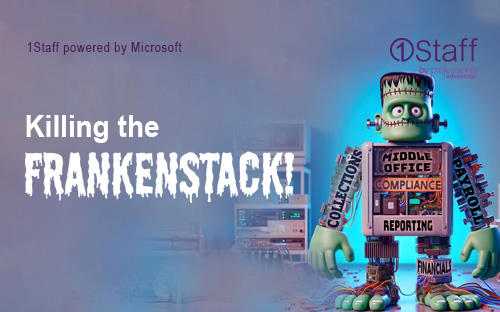
More from the blog...
Killing the Frankenstack!
Why Your Back Office Architecture Is Holding You Back!
Killing the Frankenstack!