Microsoft-Native Staffing Platform.
Built on Microsoft.
Not Just Connected to It.

1Staff is built natively on Microsoft Dynamics 365, not connected to it. One platform, one data model, no middleware.
There's a difference between staffing software that integrates with Microsoft and staffing software that runs on Microsoft. Here's why that distinction matters - and what it means for your day-to-day operations.
A lot of staffing platforms say they work with Microsoft. They connect to Outlook, sync with Teams, or push data into Excel. That's integration. 1Staff is different - it's built directly on the Microsoft Dynamics 365 platform, which means your front office, back office, payroll, compliance, and analytics all run on the same underlying Microsoft infrastructure. One data model. One security framework. The data flows natively within the Microsoft platform — no third-party middleware, no external sync layer sitting in between.
If that sounds technical, here's the practical version: your recruiters work in the same environment as your finance team. Data entered at the front end of the process — a candidate placed, an assignment started - flows through to payroll and invoicing automatically, without anyone re-entering it or waiting for a third-party sync — the data flows natively within the same Microsoft platform.
What "Microsoft-Native" Actually Means
One platform.
Not a collection of connected tools.
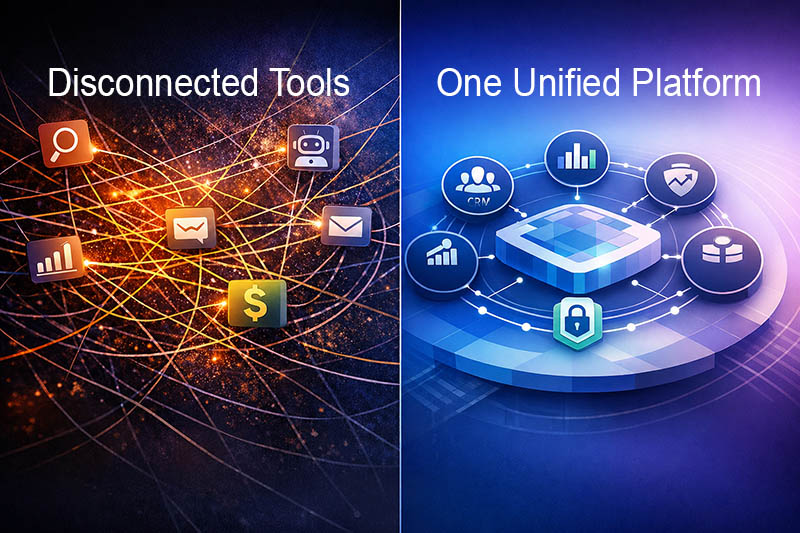
Most staffing firms piece together their tech stack over time. An ATS here, a payroll system there, a BI tool on top, some middleware to make them talk to each other. In the industry, this is increasingly called a Frankenstack — and it works, until something breaks, or the sync is delayed, or two systems disagree on the same number.
1Staff takes a different approach. Because it's built on Microsoft Dynamics 365 and Business Central, every part of the platform — recruiting, compliance, time and expense, billing, payroll, and reporting — shares the same data. There's no export step between time and payroll. There's no reconciliation step between billing and financials. What happens in one part of the system is immediately visible everywhere else.
What's Under the Hood
The Microsoft stack — purpose-built for staffing
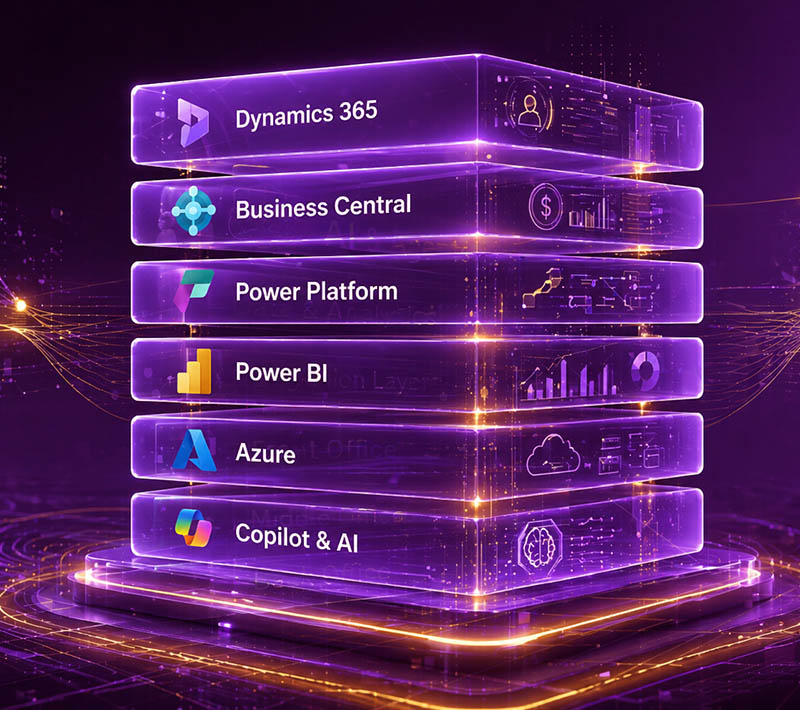
1Staff brings together several Microsoft technologies, each doing the job it was designed for, unified into a single staffing platform:
Microsoft Dynamics 365 — the foundation for front office operations: recruiting, CRM, compliance, and candidate management. Your recruiters work here, alongside Outlook and Teams, without switching applications.
Microsoft Dynamics 365 Business Central — the engine for back office and financials: payroll, invoicing, accounts payable and receivable, and full general ledger. Real double-entry accounting, not a simplified billing module — which means your finance team can drill from a GL entry back to the original timesheet, in the same system, without querying somewhere else.
Microsoft Power Platform — workflow automation and low-code configuration. Onboarding sequences, approval flows, compliance triggers, and exception handling — all configurable by your own team without calling a developer.
Microsoft Power BI — reporting and analytics embedded natively in the platform. Assignment-level margin, VMS program performance, recruiter productivity — visible in real time because the data model is shared.
Microsoft Azure — the cloud infrastructure underneath everything. Enterprise-grade security, uptime, disaster recovery, and compliance framework included as standard.
Microsoft Copilot & AI — because 1Staff runs on Microsoft, Copilot operates directly against your actual data — candidate records, financial data, job orders — inside your own Microsoft tenant and security boundary. Your data doesn't leave your environment to power AI. That's a structurally different proposition from AI that runs on a vendor's servers.
Why It Matters in Practice
What this means for your team every day
For recruiters: Work entirely within Outlook and Teams. Candidate records, job orders, and communications in one place — no switching between an ATS and your email client.
For finance: Assignment-level margin visible the same day, not at month end. Payroll and billing connected to the same data as your GL. No re-keying, no overnight batch sync.
For operations: Compliance status, timesheet approvals, and VMS reconciliation managed centrally. Exceptions surface automatically — your team handles what needs human attention rather than reviewing everything manually.
For IT and security: One security framework across the whole platform. Microsoft Entra ID, Purview data governance, and Defender — the same controls your enterprise clients already require.
Explore the Microsoft Stack
Go deeper on any part of the platform
Each component of the Microsoft stack has its own page. Start with the one most relevant to what you're evaluating:
- Microsoft Dynamics 365 Business Central — back office, payroll, and full financials
- Microsoft Dynamics 365 for Sales — recruitment CRM and front office
- Microsoft Power Platform — workflow automation and low-code configuration
- Microsoft Power BI — analytics and reporting
- Microsoft Azure — cloud hosting and infrastructure
- Microsoft AI and Copilot — AI embedded across the platform
- Microsoft 365 — Outlook, Teams, and the everyday Microsoft tools your team already uses
- Microsoft Purview — data governance and compliance
- Microsoft Dynamics GP — migrating from GP? Start here
Want to see how it all fits together?
The best way to understand what Microsoft-native means in practice is to see it running. We'll walk you through the platform — front office to final invoice — and answer any questions about how it fits your current setup.